
Merge existing polygons into one clean boundary
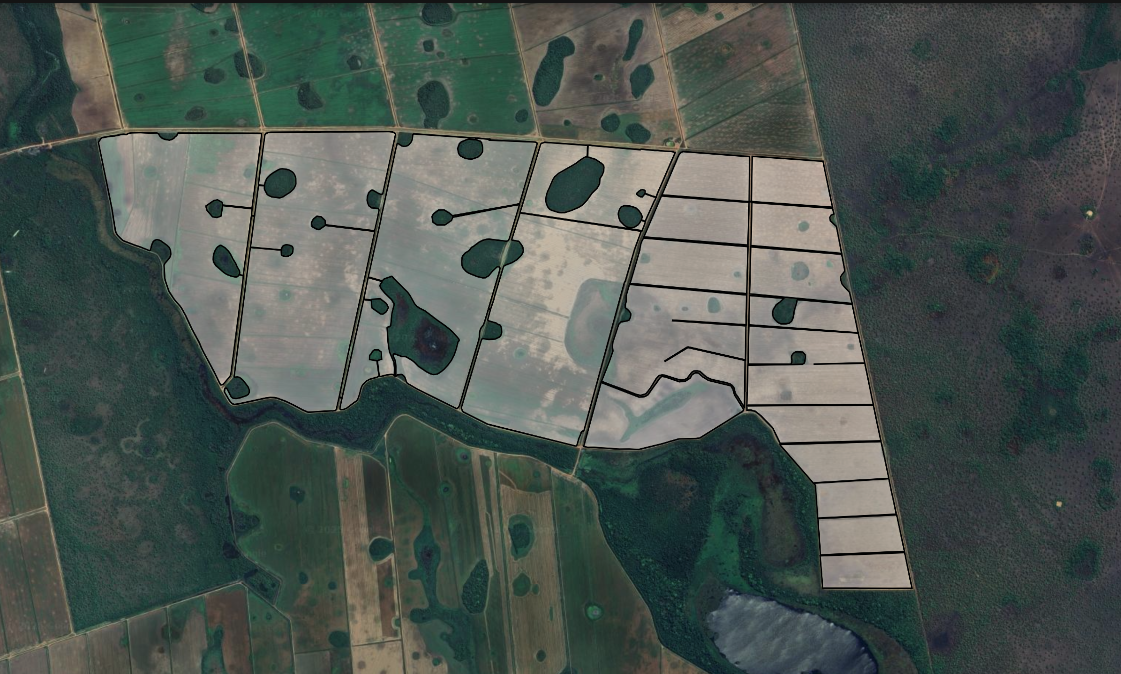
Built for KML/KMZ files that already contain closed area polygons. Use true geometric union (dissolve) to turn fragmented areas into one clean boundary for Google Earth, QGIS, agriculture, and drone mapping.
Upload KML/KMZ polygon files and get one merged boundary.
Support via email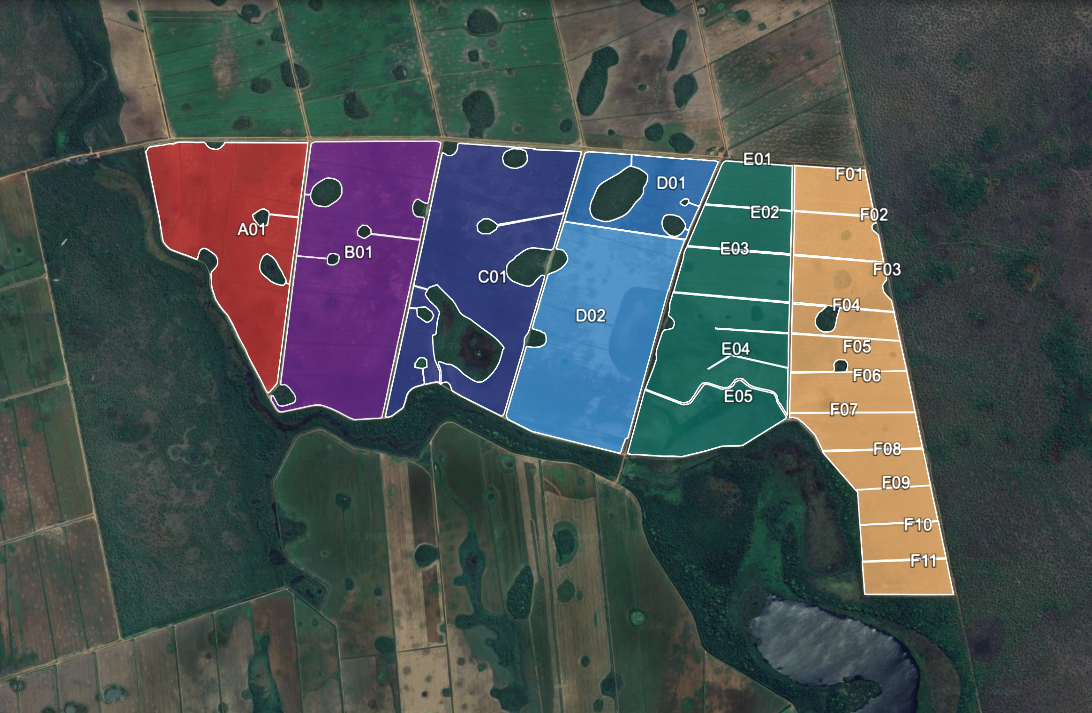
Upload your KML/KMZ files
We’ll merge your polygons into a single boundary and generate 1 unified .KML. Preview is free — download requires sign in.
Limits: up to 20 files, max 2.00 MB each, 20.00 MB total.
Drag & drop .kml/.kmz files here — we’ll output 1 merged .KML
Multiple files supported. Output: 1 clean .KMLMerge parameters
How it works
Upload your KML/KMZ files
Drag and drop KML/KMZ files containing the polygons you want to merge—field boundaries, application areas, parcels, project sites, and more.
Server-side processing
Our backend performs a geometric union (dissolve) to merge all polygons into a single boundary.
Download one unified KML
Get a single KML output ready for Google Earth, GIS tools, drones, and field operations.
KML Unifier API
We’re building an official API for automated KML polygon merging. Integrate it directly into agritech platforms, GIS pipelines, drone mapping workflows, or your own software.
Coming soon.
Notify me when the API is available
No spam. We’ll only email you when the API launches.
Frequently asked questions
How do I merge KML files online?
Click Upload, select multiple .kml files, and run the merge. You’ll get one unified boundary to download and use in Google Earth or GIS tools.
Can I merge KMZ files online too?
Yes. You can upload .kmz files and merge them the same way. The output is a single unified boundary ready for your workflow.
Does this work with Google Earth?
Yes. The merged output is compatible with Google Earth. A common workflow is: export your polygons, merge them here, then open the final unified boundary in Google Earth.
What happens during the merge?
The tool combines all uploaded polygons into a single boundary (often called merge, union, or dissolve). If polygons are close, you can optionally connect them using corridors.
Why can the output area differ slightly from the input area?
Small differences can happen due to geometry cleanup, projection adjustments, and optional corridor creation. In most mapping and planning workflows, these differences are minimal.
What file formats are supported?
Currently, .kml and .kmz are supported. Other formats (like GeoJSON) may be added later.
Can I use KML Unifier for commercial projects?
Yes. It’s commonly used by consultants and teams working with agriculture mapping, drones, surveying, engineering, and GIS projects.